The shared shopping list
Soon on the App StoreThe shopping list for the whole family.
Everyone adds from their own phone and everyone sees the same list right away. At the supermarket, one tap and it's crossed off for all: nobody buys the milk twice, nobody forgets the bread.
Free beta with Apple's TestFlight app, limited places · how it works
iPhone, Mac and Apple Watch · works on iPad and iPhone Duo too · In English and Italian
🛒 Home groceries
Anna added Yogurt
To buy
All done! See you next time 🎉
Tap an item when you've got it.
Video
Spumio List in just over a minute.
From the shared list to the tap at the supermarket, with photos, widgets, Siri and CarPlay, on iPhone, Mac and Apple Watch.
Features
One list, everyone in sync.
Spumio List does one thing: it keeps the family's shopping list the same on every phone, so whoever goes to the store knows exactly what to buy.
Shared lists
Everyone adds from their own phone and sees changes right away. Each item shows who added it.
One tap and it's in the cart
At the store, tap an item and it disappears from everyone's list. Recent items are there to add again in one tap.
Notifications
A notification when someone adds or removes an item, even with the app closed. You can mute single lists.
In aisle order
Almost 400 ready-made items, each with its own drawing, grouped by aisle: from fruit to the checkout, without walking back. A note or quantity with a long press.
Invite with a code
Send a code by message: whoever receives it joins the list in a moment. The code lasts 7 days.
A list for every occasion
Groceries, a birthday party, the beach house: each list with its own emoji and its own people. With bubble sounds, if you like.
Devices
On all your Apple devices.
Same account, same lists, updated in real time: write the list on your Mac, do the shopping with your iPhone or straight from your wrist.
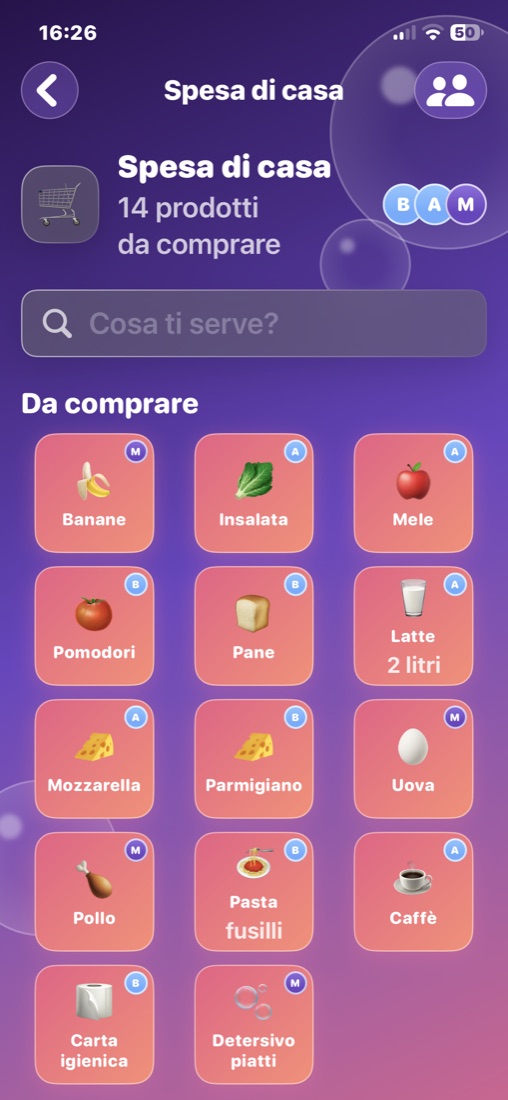
iPhone
The whole list in your pocket, with notifications.
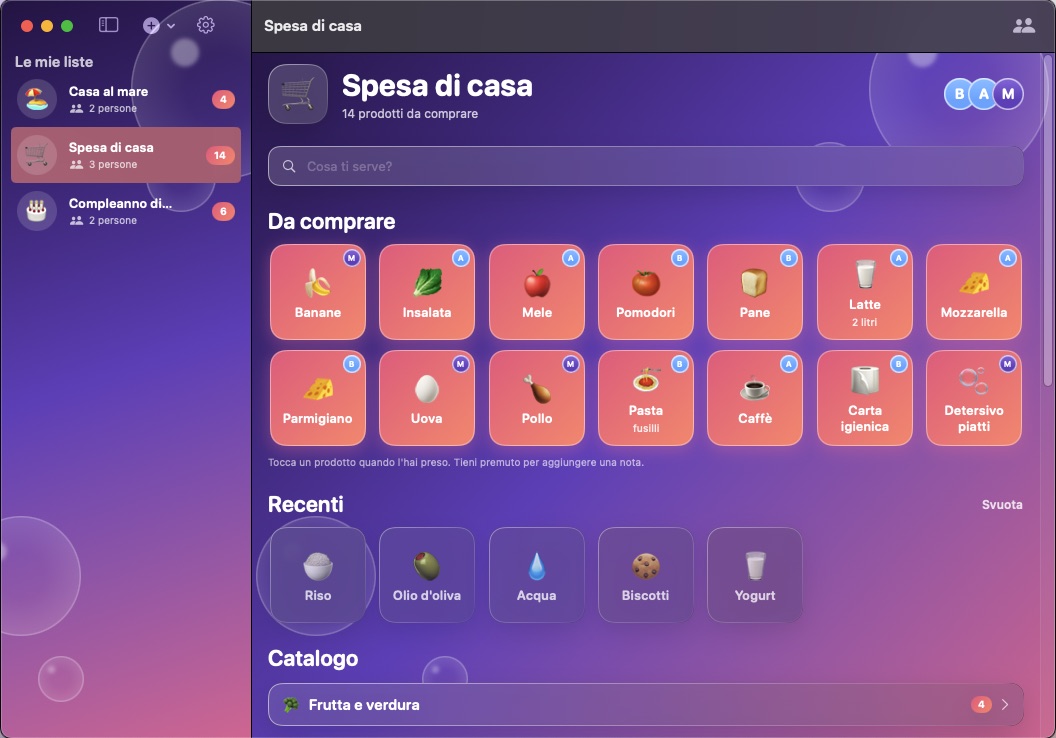
Mac
A window all to itself, with every list in the sidebar.
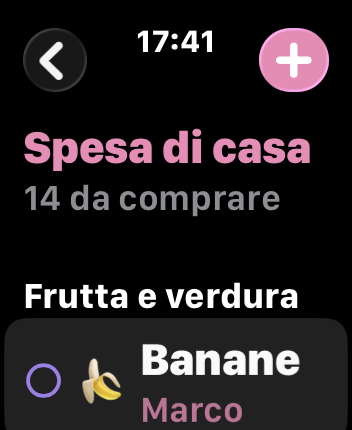
Apple Watch
Check off items from your wrist; the watch-face ring shows what's left.
iPadWorks on iPad too, with the same lists.
NewAlready works on the new iPhone Duo, folded or open.
How it works
Three steps, and the shopping is shared.
Create a list
Sign in with Apple, Google or your email, choose a name and an emoji: “Home groceries”, “Sofia's birthday”…
Invite the family
Send the invite code: whoever downloads Spumio List chooses “Join with a code” and types it in.
Shop together
Everyone adds what's missing, whoever goes to the store crosses it off. Notifications tell the others what has changed.
Your data
Your list, nothing more.
Spumio List only keeps what the list needs to work. The details are in the privacy policy.
- No ads, no trackingNo analytics, no advertising identifier, no profiling. We never sell or share data.
- Stored in EuropeLists live on Google Firebase servers in Belgium, and only the members of a list can see it.
- Delete everything yourselfIn the app: Settings › Delete account. Your profile and the lists that are only yours are deleted right away.
Requirements
Free, on the devices you already have.
- iPhone
- iOS 17 or later
- Mac
- macOS 14 Sonoma or later
- Apple Watch
- watchOS 10 or later
- iPad
- Compatible, iPadOS 17 or later
- iPhone Duo
- Compatible, folded and open
Price: free. App language: Italian.
From the same family
Spumio apps for your Mac.
Spumio Clean frees disk space, Spumio Quit closes every app in one click.
FAQ
Before you download.
Is it really free?
Yes: Spumio List is free, with no ads and no tracking.
Do I need an account?
To share lists, yes: sign in with Apple, Google or your email. The name you choose is the one the others see. Without an account you can still use the app on your own, with the lists saved only on your device.
How do I invite someone?
Open the list, tap the people button and then “Send invite”. Whoever downloads Spumio List chooses “Join with a code” and types the code, which lasts 7 days.
Does it work on iPad?
Yes, Spumio List is compatible with iPad (iPadOS 17 or later) and shows the same lists as your iPhone and Mac.
Does it work on iPhone Duo?
Yes, Spumio List already works on the new foldable iPhone Duo: folded, like on any iPhone, and open, on the big inner display, with the same lists and notifications.
And on Apple Watch?
The Apple Watch app comes with the iPhone app and uses the same account: you see your lists, check off items and add new ones. The watch-face complication shows how many items are left.
How do I delete my account?
In the app: Settings › Delete account. You leave all shared lists, and the lists created only by you are deleted. It can't be undone.
How do I try the beta?
1. On your iPhone, install TestFlight, Apple's free app for beta versions.
2. Open the invite link and tap “Accept”.
3. Install Spumio List from TestFlight: the Apple Watch app comes with it. The beta works on iPhone, iPad and Mac (macOS 14 or later): on the Mac, install TestFlight from the Mac App Store and open the same link. Places are limited, and from TestFlight you can send us feedback and screenshots.
When does it come out?
Spumio List is in beta with TestFlight and is coming soon to the App Store. Whoever tries it now helps us make it better: thank you!
Legal